Product Tour
EU AI Act Compliance Module
Explore the complete EU AI Act compliance workflow from dashboard to classification results and conformity tracking.
Dashboard & Assessment Setup
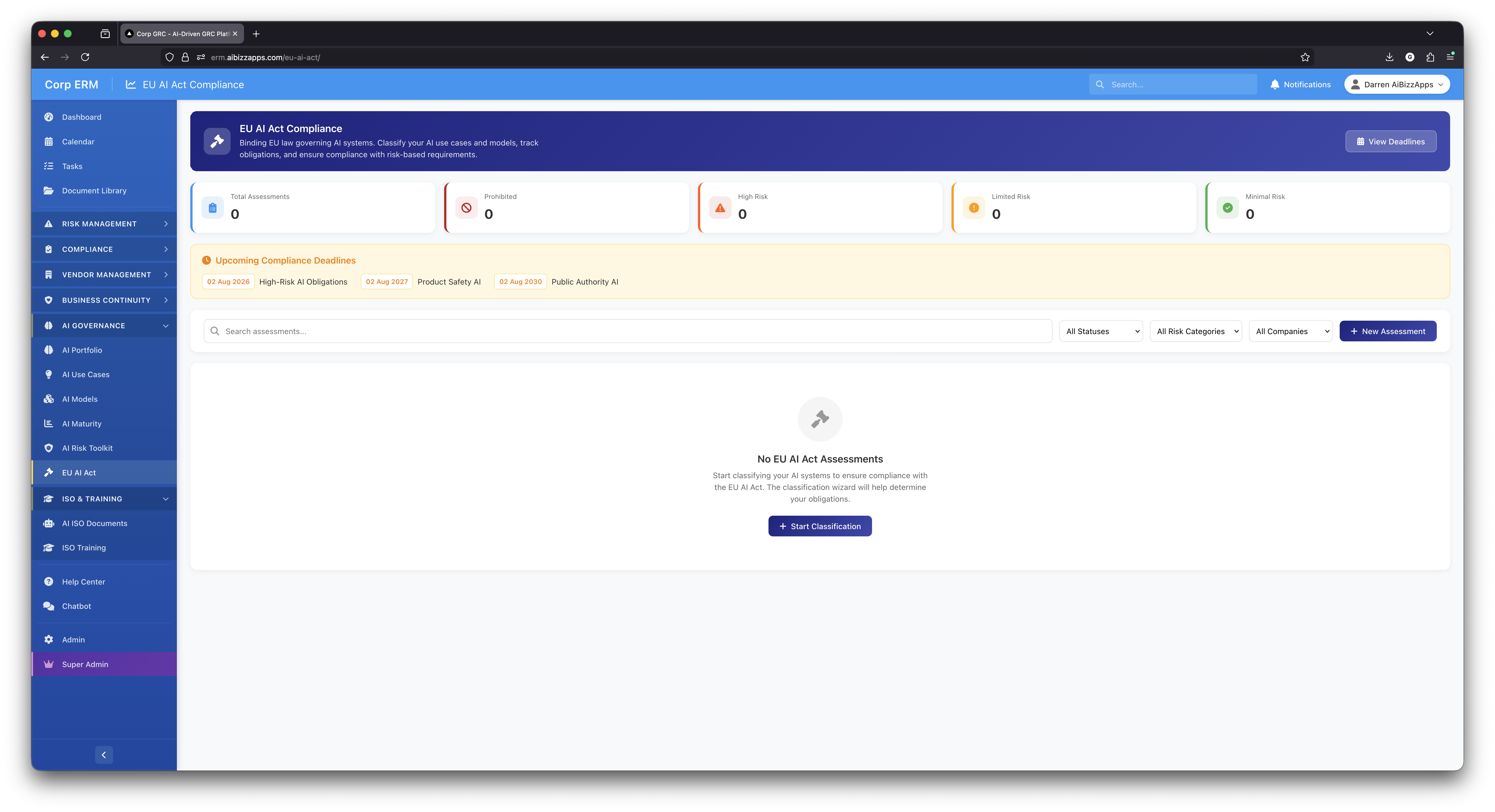
Compliance Dashboard
Main EU AI Act dashboard with stats cards showing total assessments, prohibited systems, high-risk, limited-risk, and minimal-risk categories. Displays upcoming compliance deadlines.
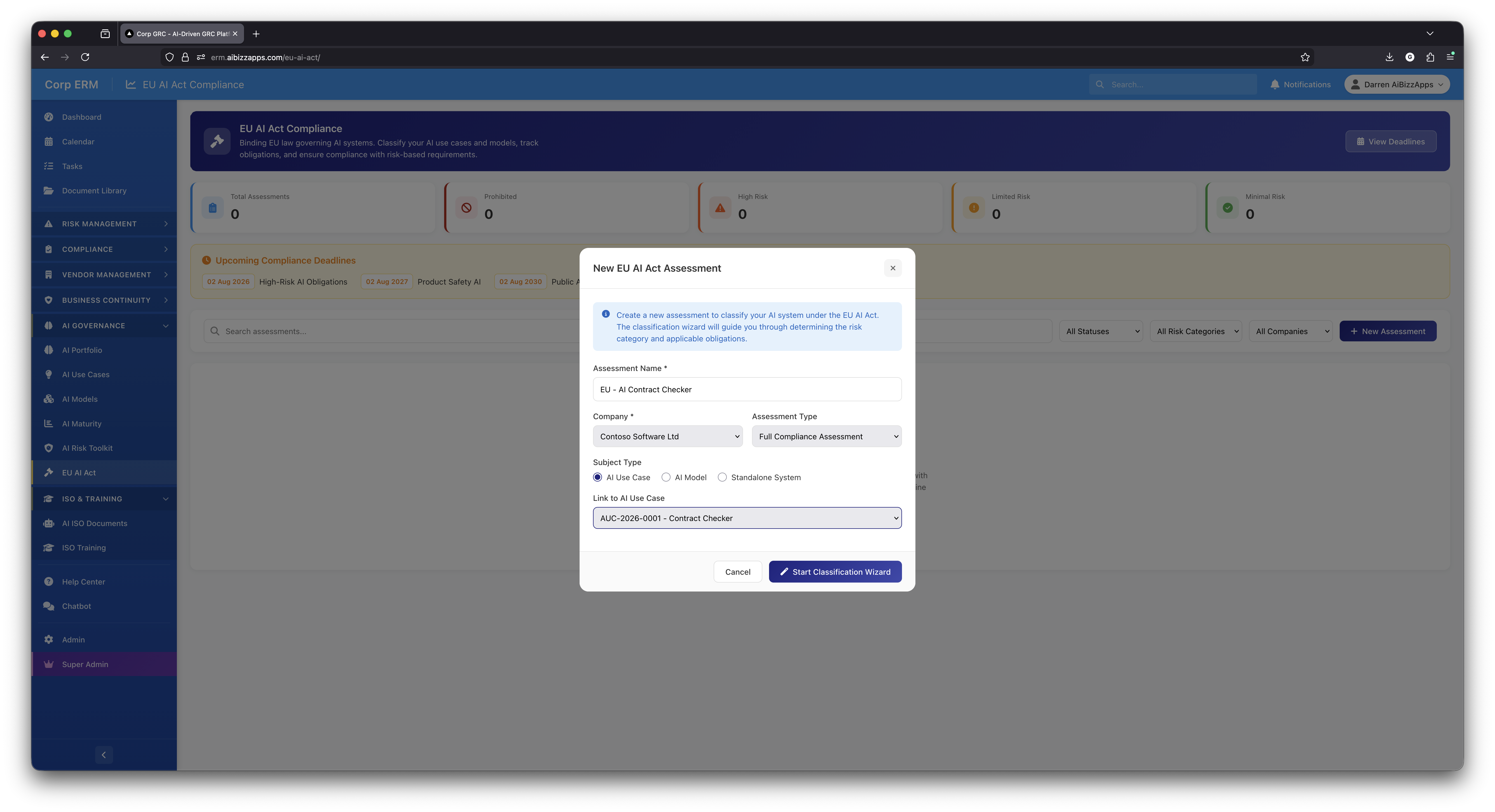
New Assessment Setup
Create new EU AI Act assessments with name, company selection, assessment type, and subject type (AI Use Case, AI Model, or Standalone System) with direct linking to existing AI use cases.
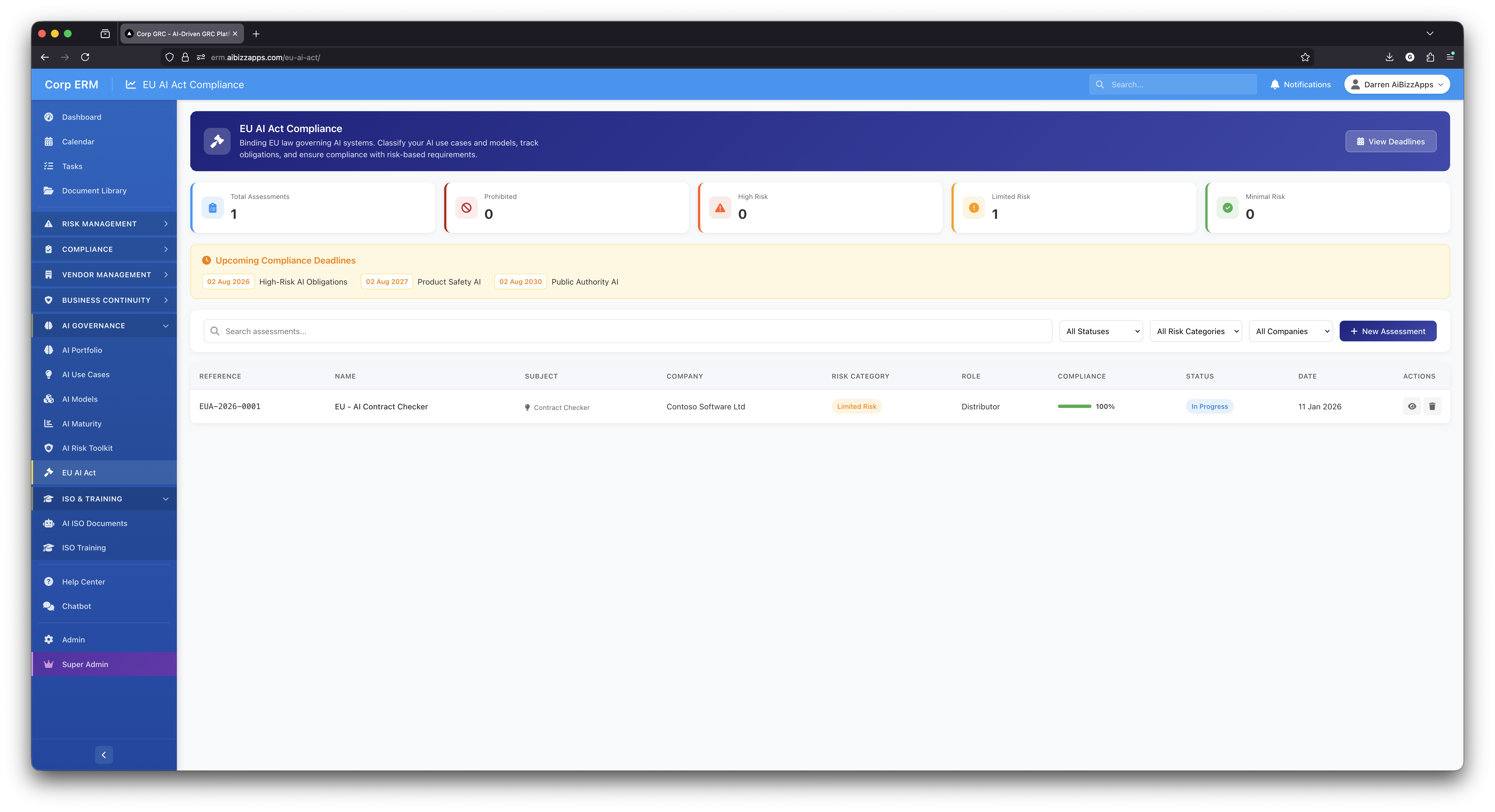
Assessment List
View all assessments with reference numbers, names, subjects, companies, risk categories, roles, compliance progress bars, status, and dates. Filter by status, risk category, or company.
Classification Wizard - Getting Started
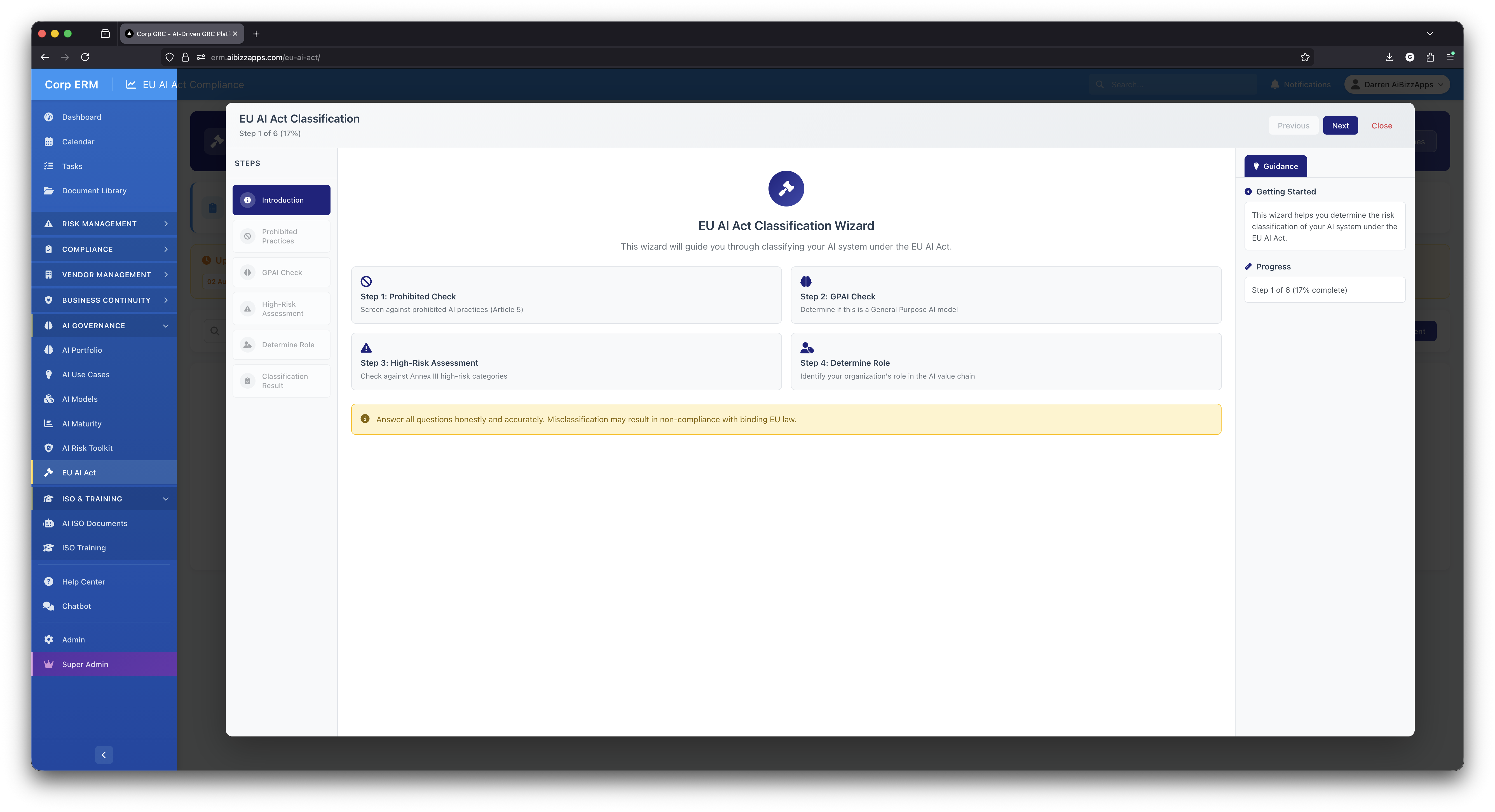
Wizard Introduction
Step 1 of 6: Introduction page showing the 4 main classification steps - Prohibited Check, GPAI Check, High-Risk Assessment, and Determine Role. Includes guidance panel with getting started help and progress tracking.
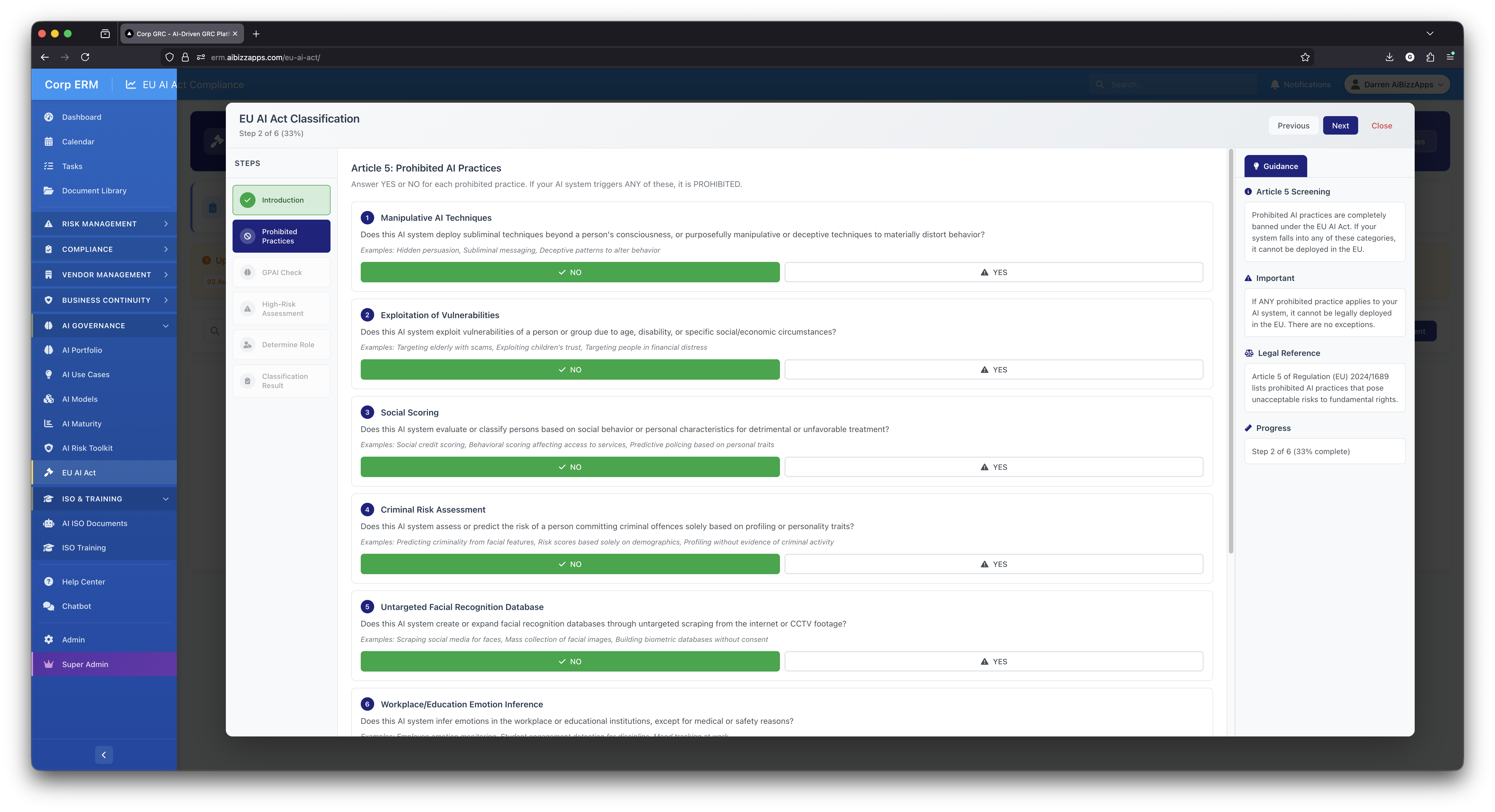
Prohibited Practices Screen
Step 2 of 6: Article 5 screening with YES/NO toggles for 6 prohibited categories - manipulative techniques, exploitation of vulnerabilities, social scoring, criminal risk assessment, facial recognition databases, and workplace emotion inference.
Prohibited Practices Detection
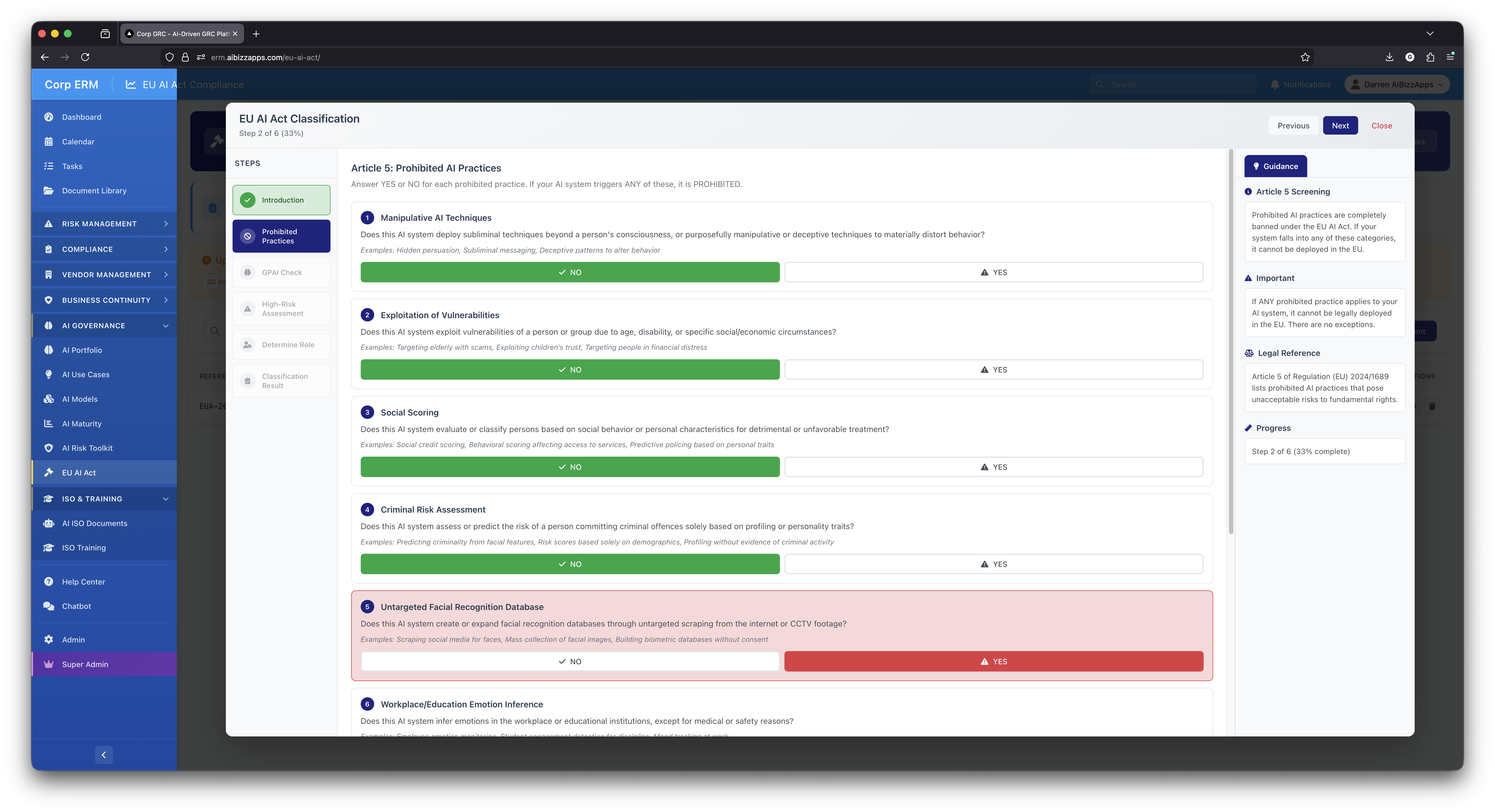
Flagging Prohibited Systems
When a YES answer triggers a prohibited practice (e.g., untargeted facial recognition), the system immediately flags the AI system. Red warning indicates the system cannot be legally deployed in the EU.
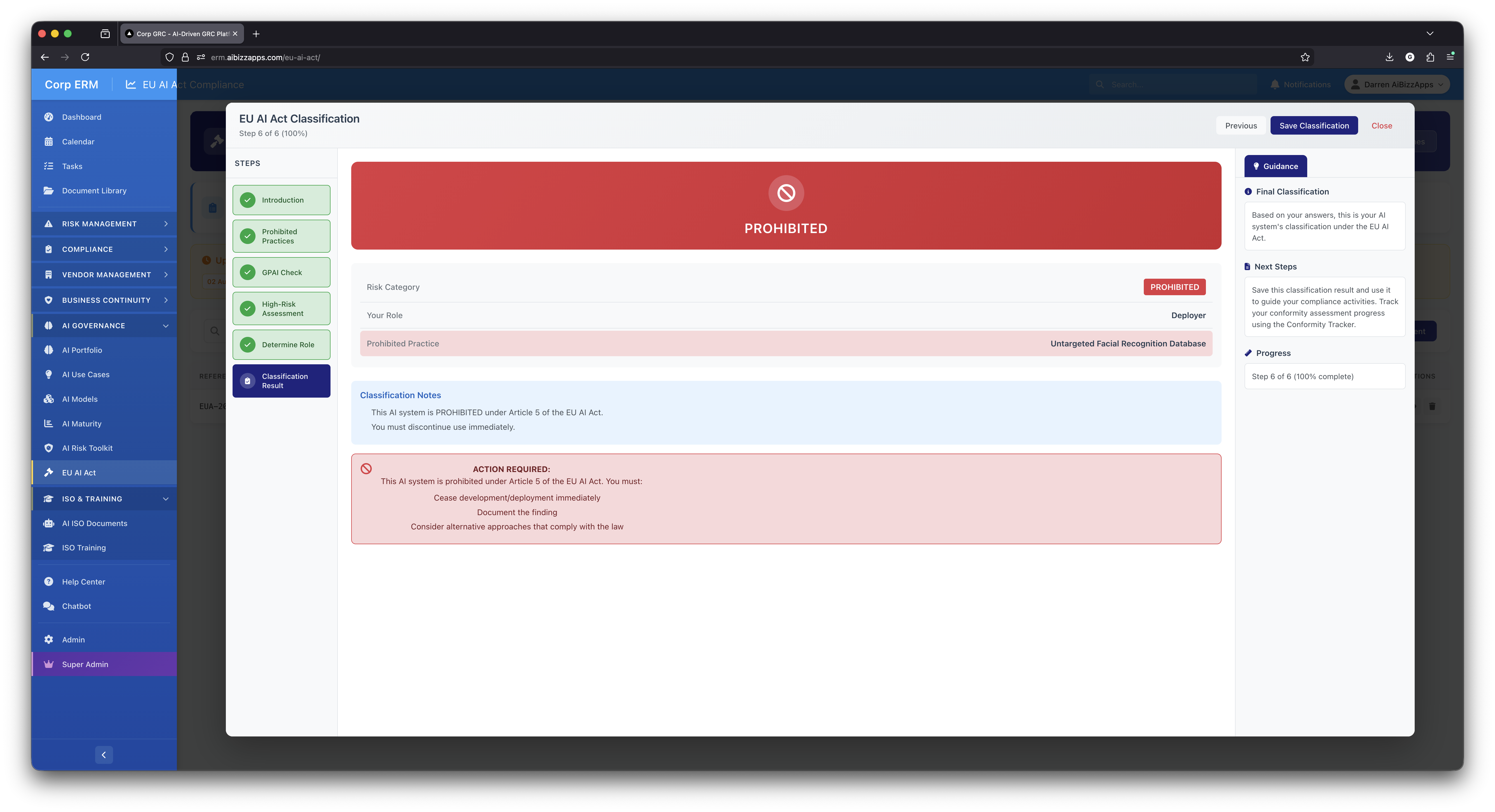
Prohibited Result
Classification result showing PROHIBITED status with red banner. Displays the specific prohibited practice triggered, role, and mandatory action required: cease development/deployment immediately and document the finding.
GPAI & High-Risk Assessment
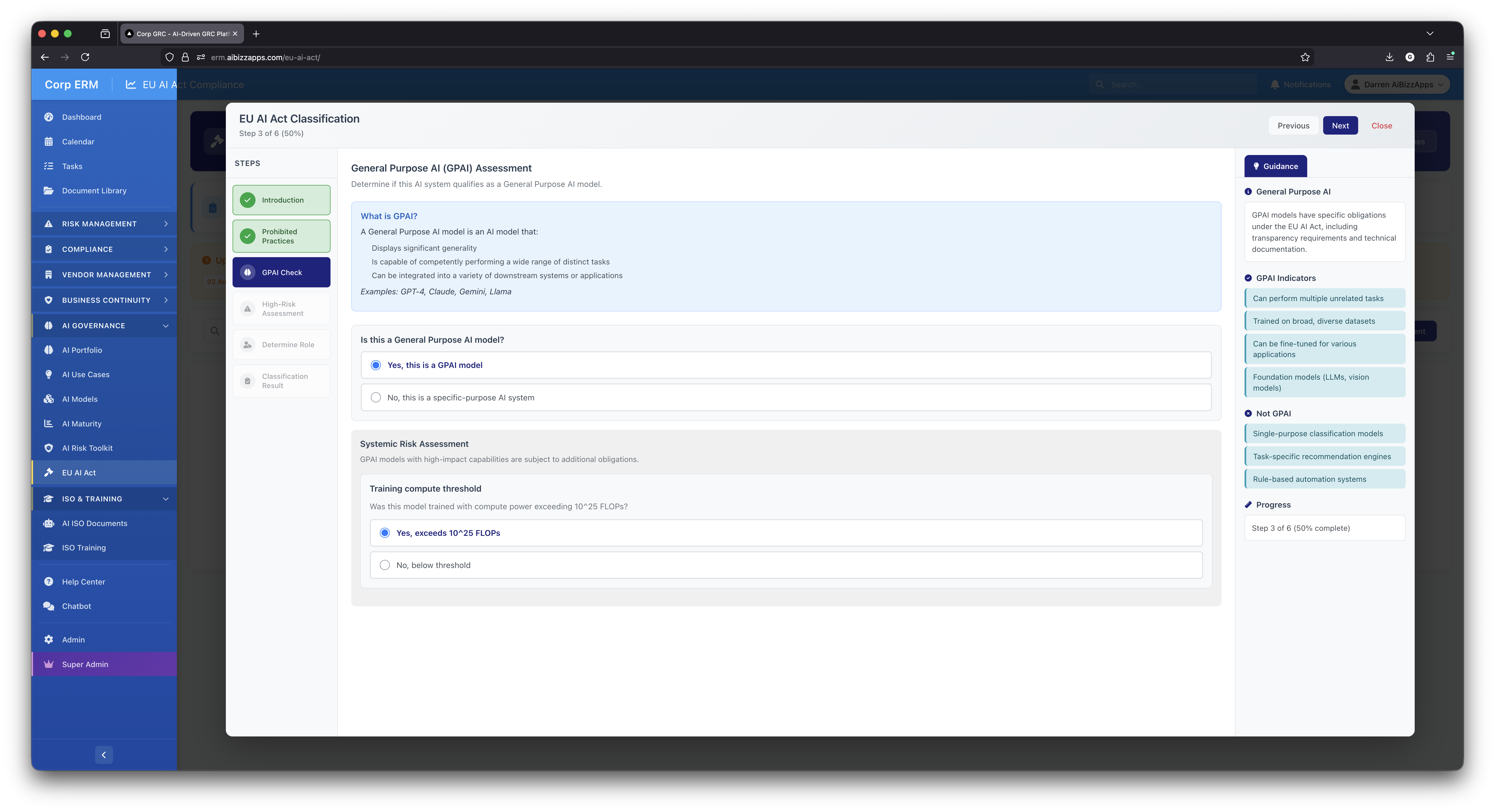
GPAI Check
Step 3 of 6: Determine if the AI system qualifies as General Purpose AI (GPAI). Shows GPAI definition, indicators like multi-task capability and broad training datasets, plus systemic risk assessment for compute threshold (10^25 FLOPs).
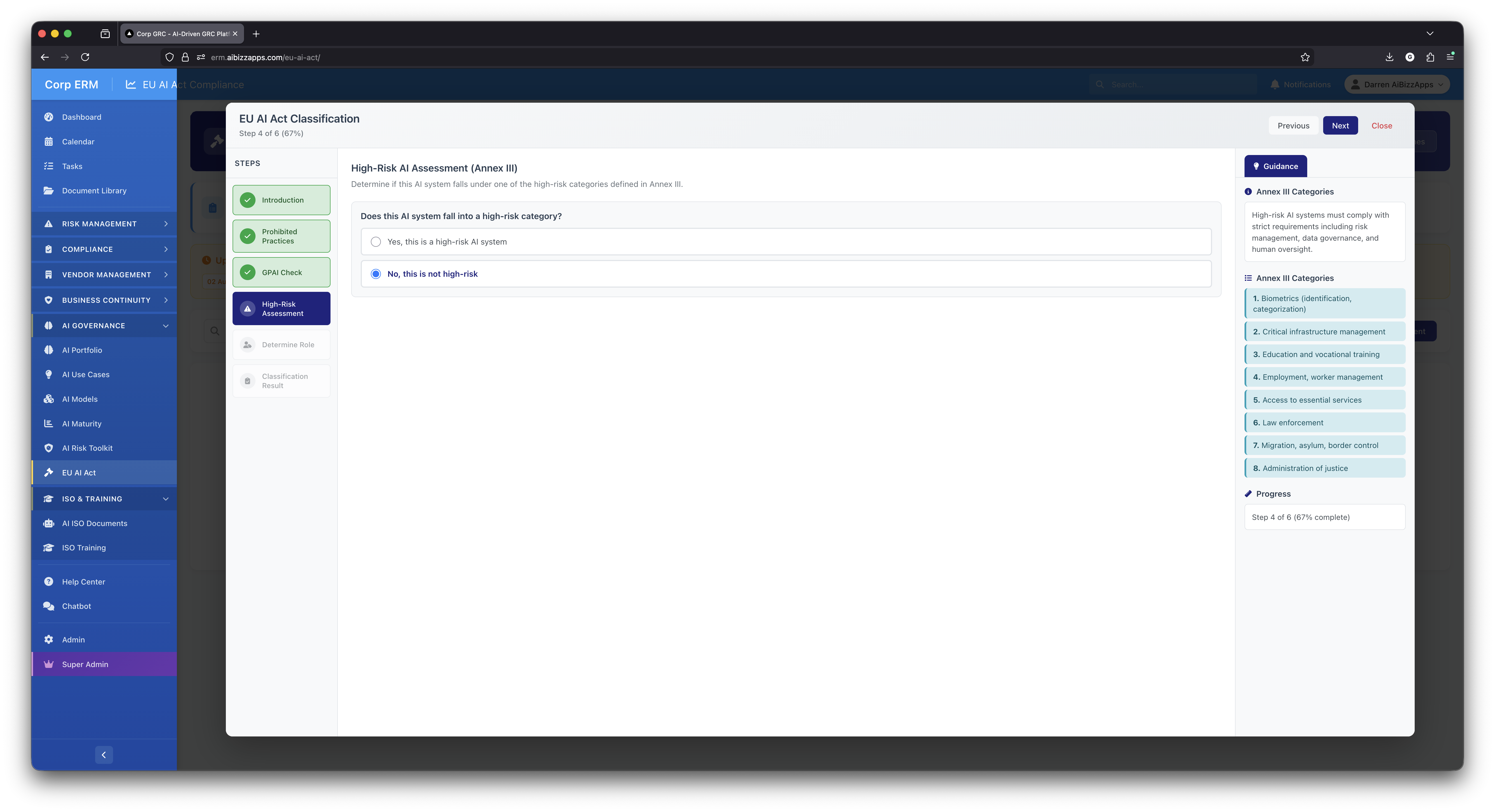
High-Risk Assessment
Step 4 of 6: Annex III high-risk category matching. Guidance panel displays all 8 domains: biometrics, critical infrastructure, education, employment, essential services, law enforcement, migration/border control, and administration of justice.
Role Selection & Classification Results
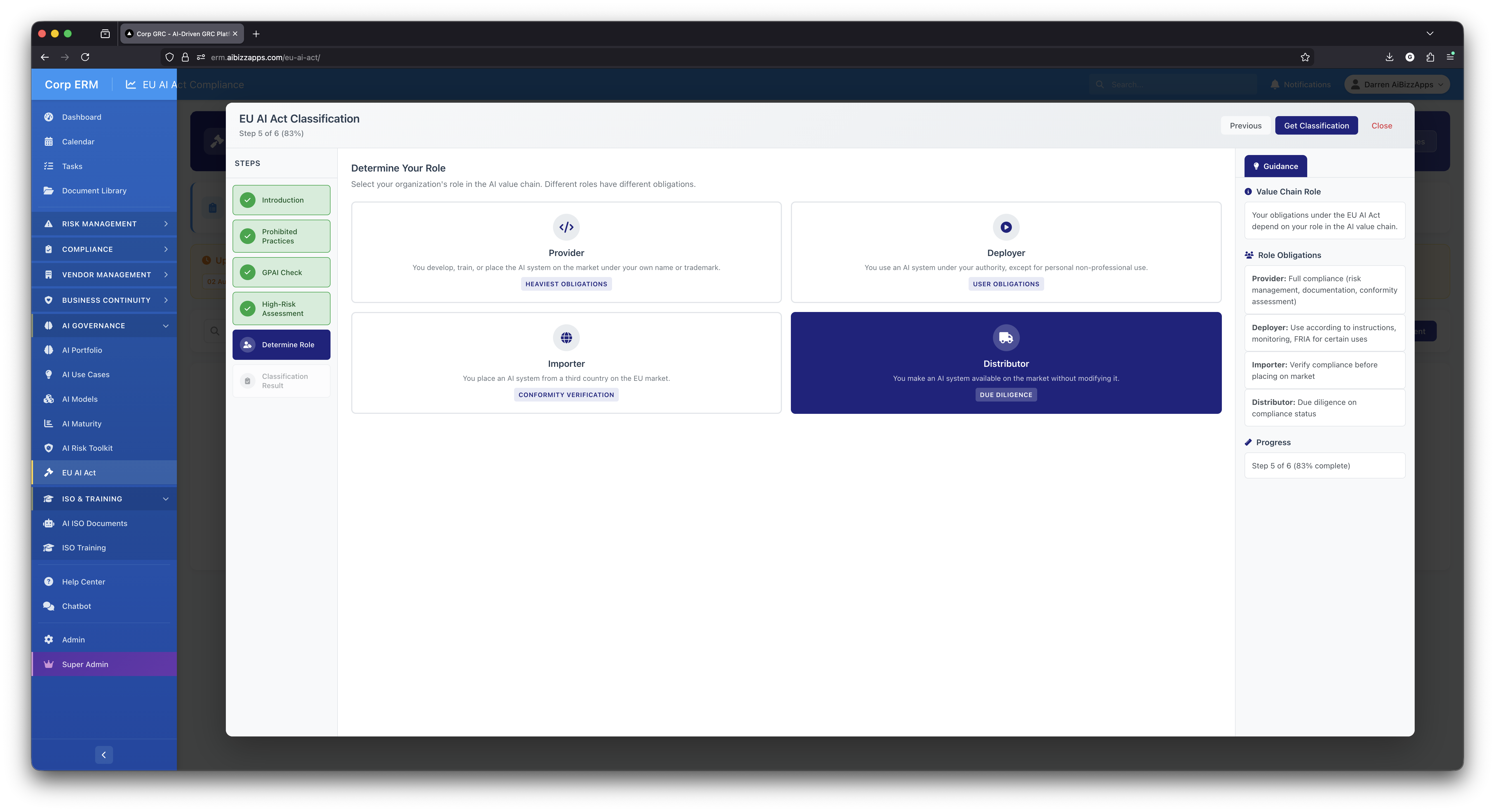
Determine Your Role
Step 5 of 6: Select your organization's role in the AI value chain - Provider (develops/trains), Deployer (uses under authority), Importer (places from third country), or Distributor (makes available). Each role has different obligations.
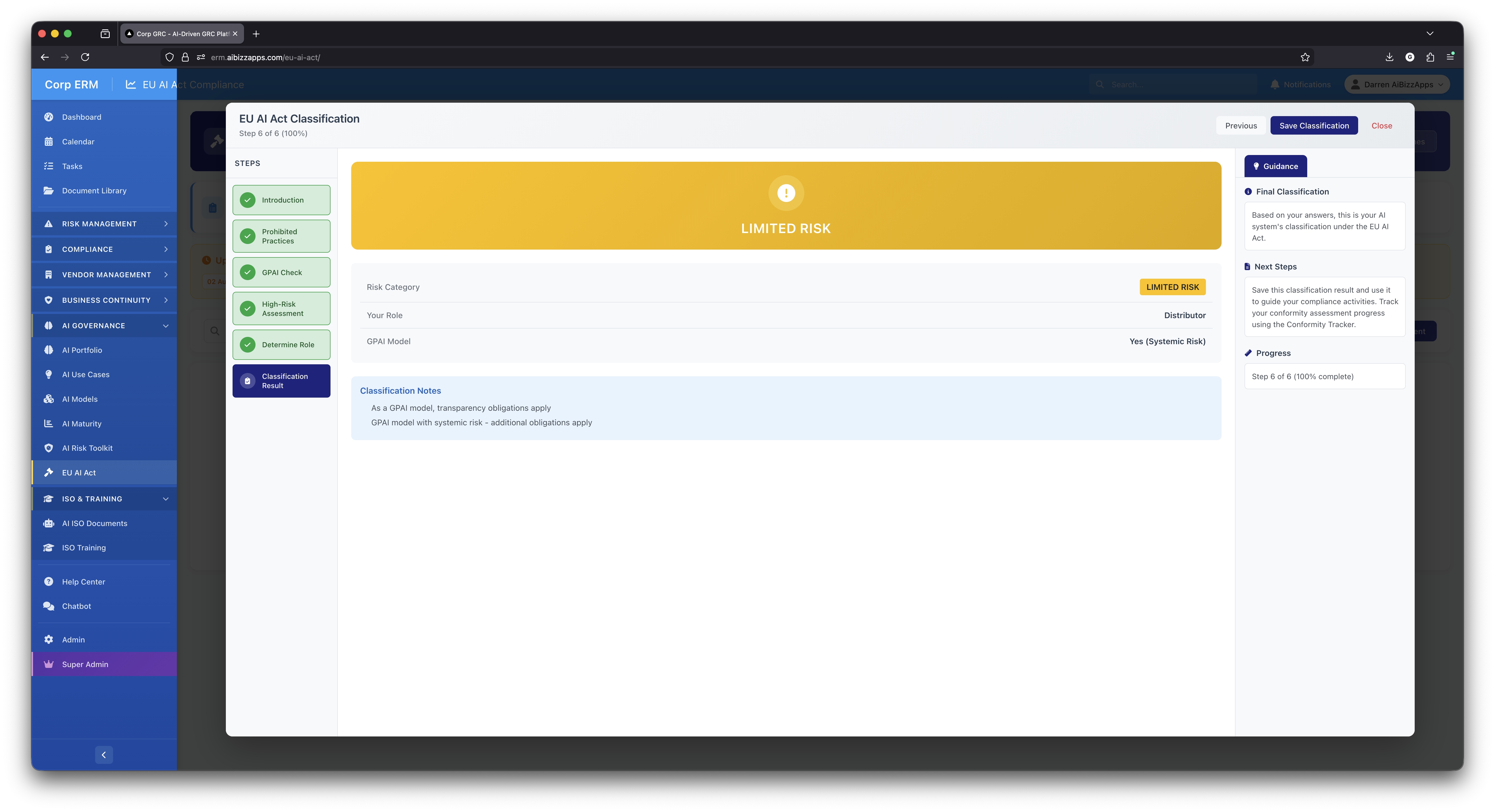
Classification Result
Step 6 of 6: Final classification showing LIMITED RISK with yellow banner. Summary displays risk category, role (Distributor), GPAI model status, and classification notes explaining transparency obligations that apply.
Assessment Details & Conformity Tracking
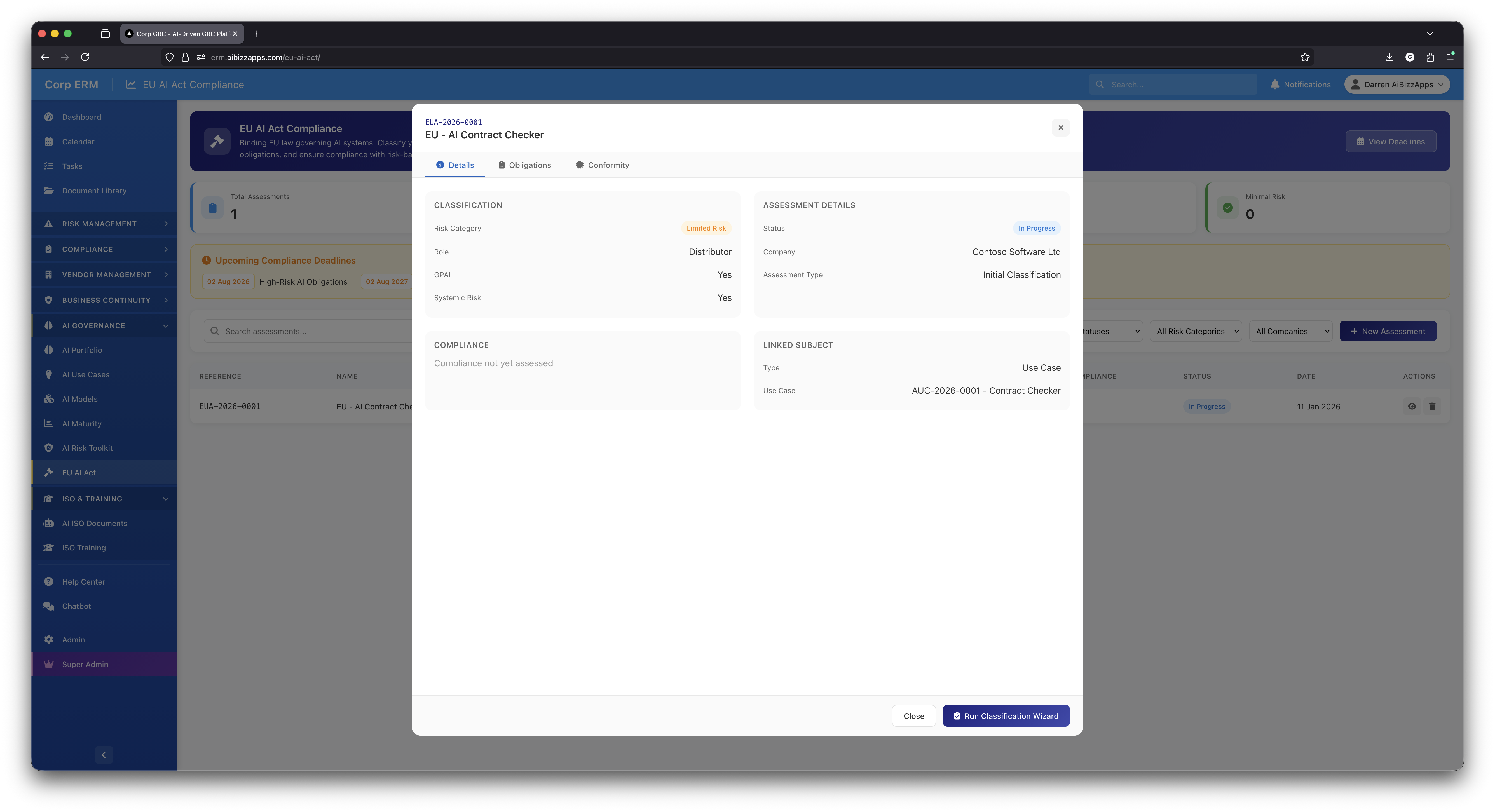
Assessment Details
Details tab showing classification summary with risk category, role, GPAI status, company, assessment type, and linked AI use case. Tabbed interface provides access to Obligations and Conformity tracking.
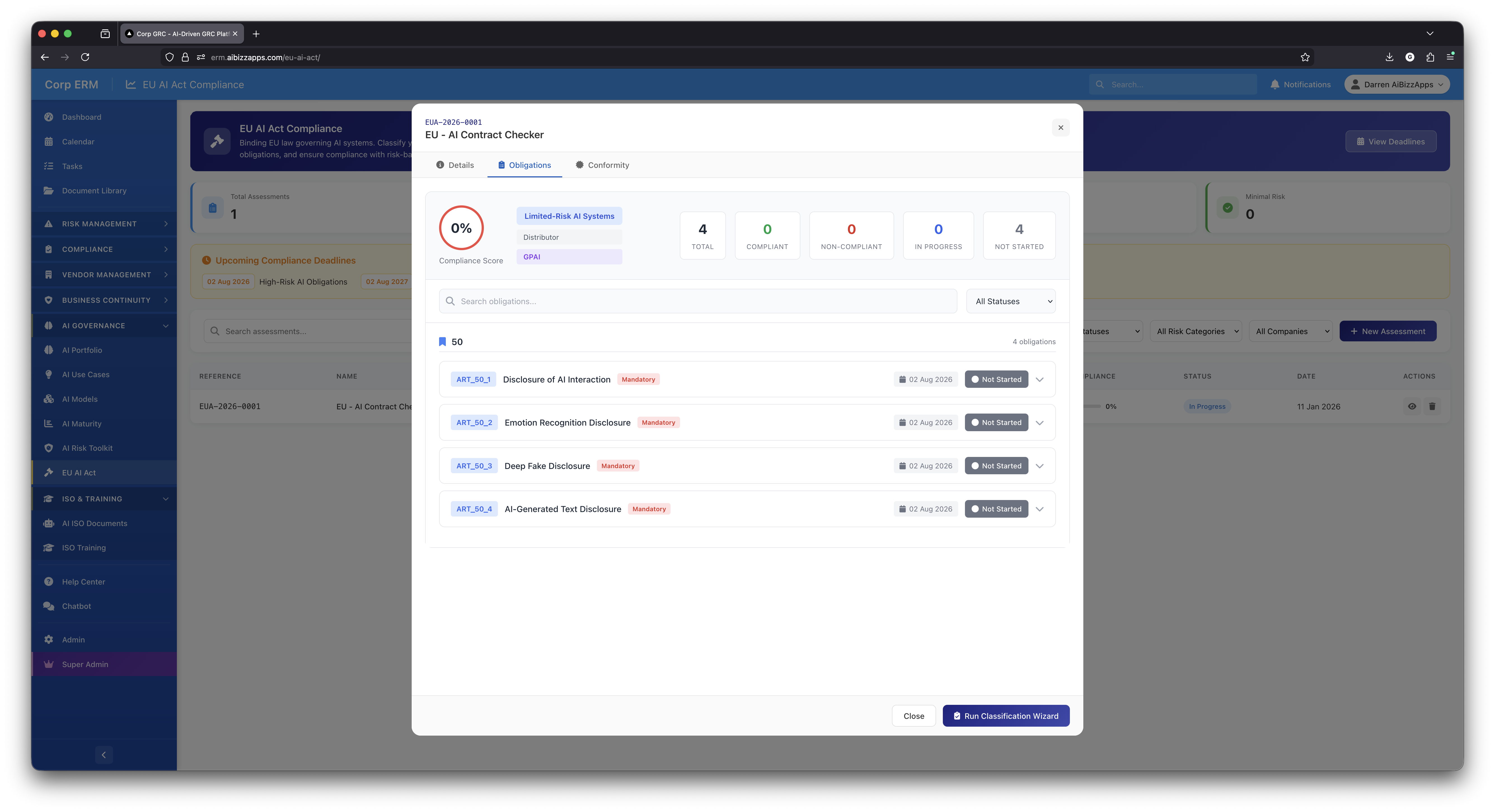
Obligations Tracker
Obligations tab with compliance score, status breakdown (compliant, non-compliant, in progress, not started), and Article 50 transparency requirements. Each obligation shows due date and status with expandable details.
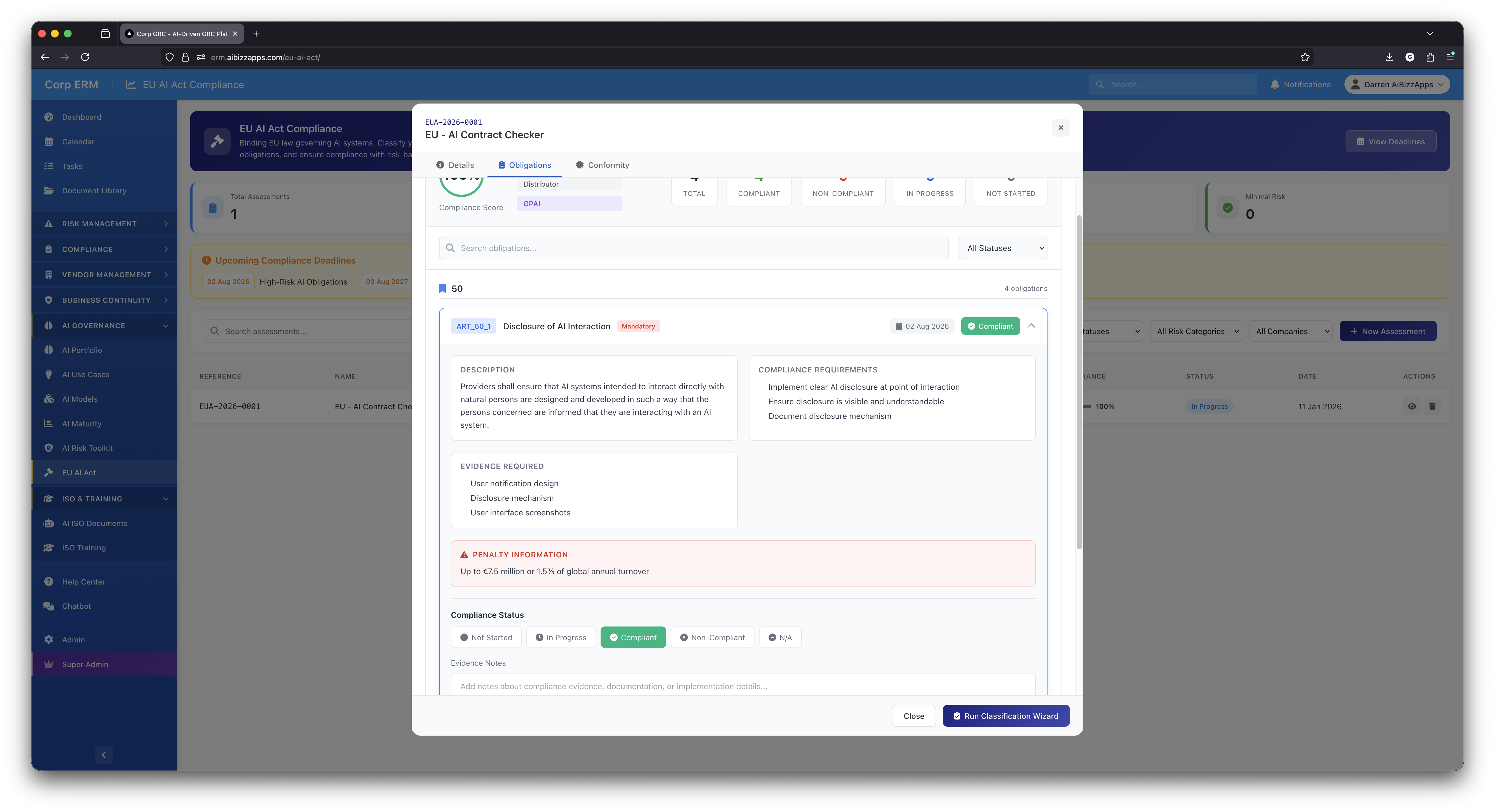
Obligation Details
Expanded obligation view showing description, compliance requirements, evidence required (notification design, disclosure mechanism, screenshots), penalty information (up to EUR7.5M), and compliance status selection.
Managing Multiple AI Systems
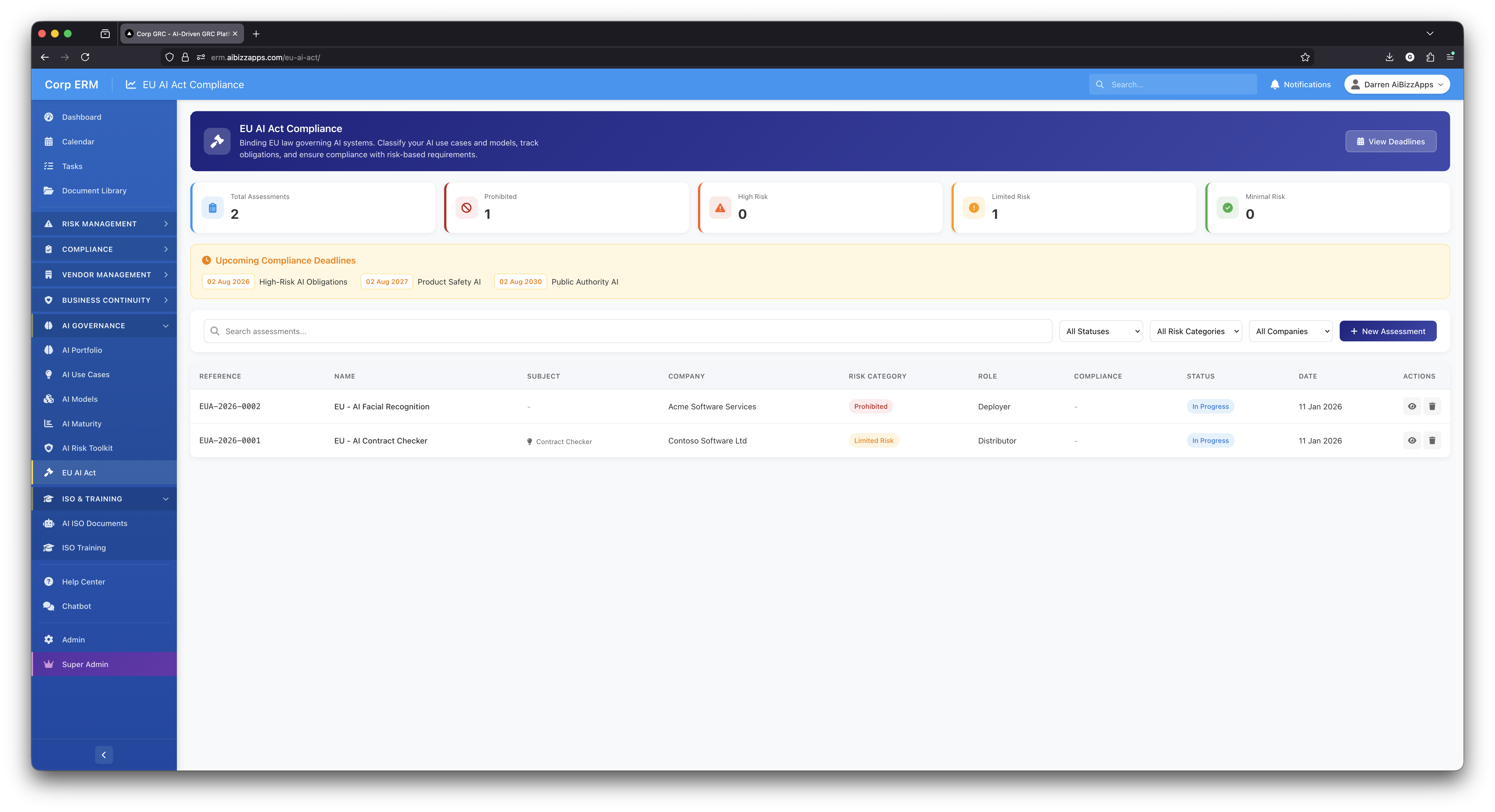
Portfolio View
Dashboard showing multiple AI system assessments with different risk classifications. Stats cards update to show portfolio-wide metrics including prohibited systems count. Each assessment tracked with compliance status and dates.